
Website accessibility: UK legal requirements in 2026.
What WCAG 2.2 and UK law mean for your business website, in plain English.
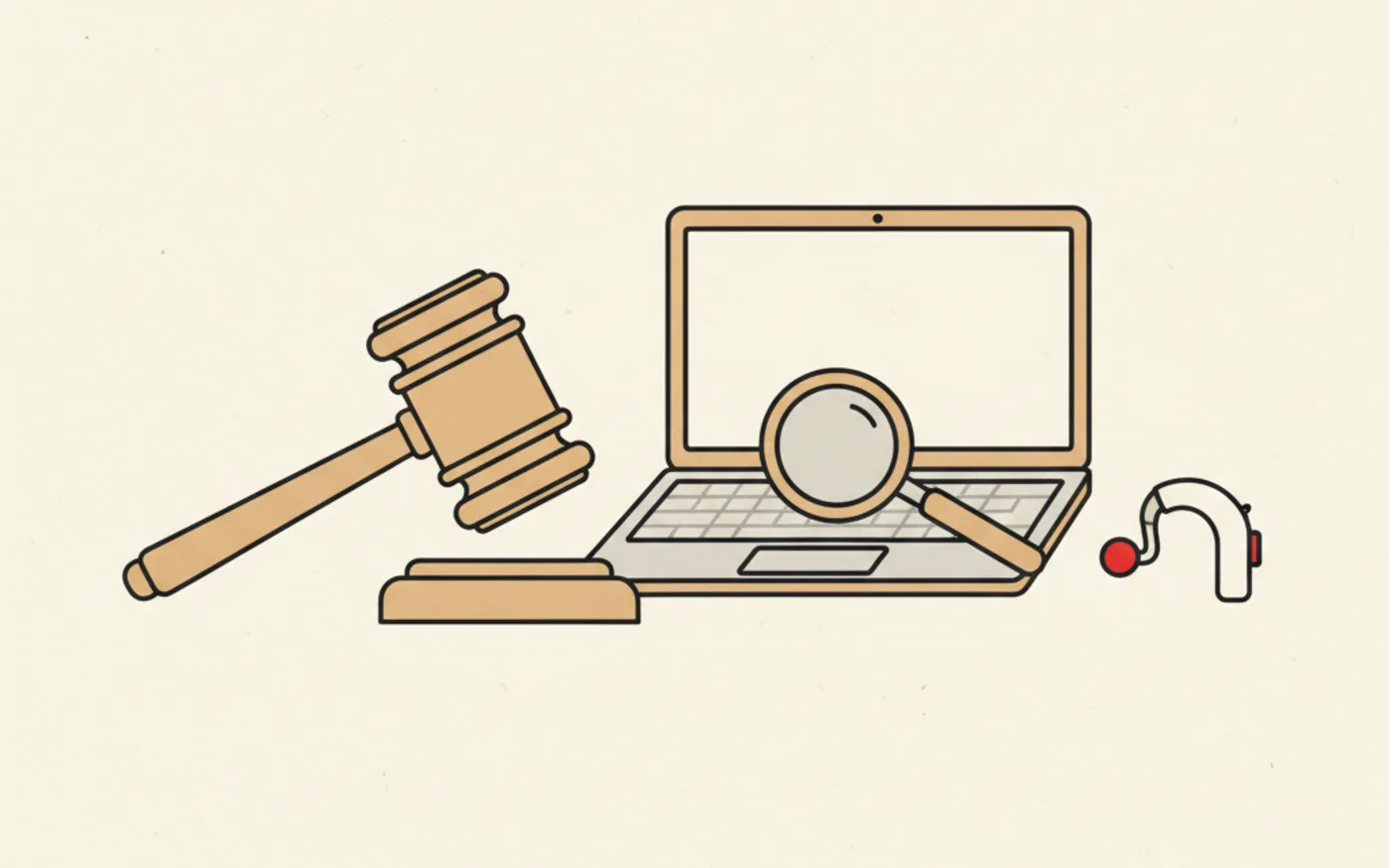
As of June 2025, the European Accessibility Act (EAA) became law across all EU member states. If your UK business sells products or services to customers in Europe, and most do, whether they realise it or not, your website must now meet strict accessibility standards. Non-compliance isn't just an ethical issue anymore; it's a legal liability with fines reaching up to €1 million.
This isn't scaremongering. It's reality. A recent study found that zero of the top 100 European companies had fully accessible homepages. If major corporations are struggling with compliance, small and medium businesses face an even steeper challenge, but also a significant opportunity to stand out by getting this right.
In this comprehensive guide, we'll explain exactly what the law requires, who it applies to, what changes you need to make to your website, and how to ensure ongoing compliance. Whether you're a Welsh tradesperson with an e-commerce side hustle or a Cardiff restaurant taking online bookings, this affects you.
What is the European Accessibility Act?
The European Accessibility Act is EU legislation that mandates accessibility standards for digital products and services. It applies to any business with 10 or more employees OR revenue exceeding €2 million that trades in or serves customers within the EU. The key word is 'serves', if EU customers can purchase from your website, you're covered regardless of where your business is physically located.
The legislation covers websites and e-commerce platforms, online banking and payment systems, transport and travel booking sites, digital communications services, and e-books, apps, and software. For most UK small businesses, this means your website and any online booking or payment functionality must be accessible.
Does this apply to UK businesses after Brexit?
Yes, absolutely. Brexit didn't create a magic shield against EU regulations for businesses that trade with EU customers. If someone in France, Germany, Ireland, or any EU country can purchase from your website, you must comply with the EAA. Given that many UK e-commerce businesses ship internationally, and even service businesses often have EU clients, this affects far more UK businesses than initially realise.
The UK also has its own accessibility requirements under the Equality Act 2010, which requires 'reasonable adjustments' for disabled users. While enforcement has historically been lighter than the EAA, UK courts are increasingly taking digital accessibility seriously. The safest approach is to apply the same accessibility standards across your entire digital presence.
Understanding WCAG 2.2: the technical standard
The EAA requires websites to meet WCAG 2.1 Level AA standards at minimum, though WCAG 2.2 Level AA is considered more robust and future-proof. WCAG stands for Web Content Accessibility Guidelines, developed by the World Wide Web Consortium (W3C). These guidelines are built around four core principles, remembered by the acronym POUR.
Perceivable
Users must be able to perceive all information on your website. This means providing text alternatives for images (alt text), captions for videos, and ensuring content can be presented in different ways without losing meaning. If a blind user can't understand what an image shows because there's no alt text, your site fails this principle.
Operable
Users must be able to operate your website's interface. This primarily means full keyboard navigation, every interactive element must be accessible without a mouse. It also means providing enough time for users to read and complete actions, avoiding content that could trigger seizures (flashing elements), and ensuring users can easily navigate and find content.
Understandable
Content must be readable and understandable. Pages should appear and operate in predictable ways, navigation should be consistent across your site, and when users make errors (like filling in a form incorrectly), the error messages should clearly explain what went wrong and how to fix it.
Robust
Your website must work reliably across different browsers, devices, and assistive technologies like screen readers. This requires clean, semantic HTML code and proper use of accessibility attributes (ARIA). A website that works perfectly in Chrome but breaks in screen readers isn't compliant.

Key WCAG 2.2 compliance requirements for UK business websites
The most common accessibility issues (and how to fix them)
Most website accessibility failures fall into a handful of common categories. Here's what to check on your own website and how to address each issue.
1. Missing or poor alt text for images
Every image on your website needs alternative text that describes its content or purpose. Screen readers read this text aloud to blind users, so 'IMG_2847.jpg' or simply 'image' is useless. For a product photo, describe what's shown: 'Navy blue men's Oxford shirt, button-down collar, front view.' For decorative images that don't convey information, use empty alt text (alt='') so screen readers skip them entirely.
2. Insufficient colour contrast
Text must have sufficient contrast against its background to be readable by users with visual impairments. WCAG 2.2 requires a minimum contrast ratio of 4.5:1 for normal text and 3:1 for large text. Light grey text on a white background, common in 'minimalist' designs, typically fails this requirement. Use free tools like WebAIM's Contrast Checker to test your colour combinations.
3. Forms without proper labels
Every form input needs a programmatically associated label, not just a visual label nearby, but one that's coded to be connected to the input field. This allows screen readers to announce what information is required when users navigate to each field. Placeholder text alone is not sufficient; it disappears when users start typing and isn't reliably read by all assistive technologies.
4. No keyboard navigation
Users who can't use a mouse navigate websites using only their keyboard, typically using the Tab key to move between interactive elements. Your website must support this completely. Test it yourself: can you navigate your entire website, click all buttons, and submit all forms using only Tab, Enter, and arrow keys? If not, you have keyboard accessibility issues.
5. Videos without captions
All video content needs accurate captions for deaf and hard-of-hearing users. Auto-generated captions from YouTube or other platforms are a starting point but often contain errors, especially with technical terminology, accents, or proper nouns. Manual review and correction of captions is essential for compliance.
6. Touch targets too small (mobile)
WCAG 2.2 introduced a new requirement: interactive elements must be at least 24×24 CSS pixels in size. This helps users with motor disabilities tap the correct buttons on mobile devices. Small navigation links, tiny form checkboxes, and cramped button layouts all violate this requirement. Review your mobile site carefully, what looks sleek may be inaccessible.
7. Inaccessible CAPTCHAs
Traditional CAPTCHAs that require identifying distorted text or selecting images are barriers for users with visual or cognitive disabilities. WCAG 2.2 specifically addresses this, requiring alternative verification methods. Consider honeypot fields, time-based detection, or invisible reCAPTCHA as alternatives that don't block legitimate users.
Penalties for non-compliance
The consequences of EAA non-compliance are severe. Fines can reach up to €1 million, varying by EU member state, with penalties determined by individual country regulators. Beyond monetary penalties, businesses risk product withdrawal from the market, service blackouts in EU countries, significant damage to brand reputation, and legal action from regulators in each EU member state where services are available.
Enforcement is decentralised, meaning each EU member state regulates businesses operating in its jurisdiction. A UK business serving customers across multiple EU countries could theoretically face enforcement actions from multiple regulators simultaneously. The 2030 deadline for existing content compliance is approaching faster than most businesses realise.
The business case beyond legal compliance
While avoiding fines is compelling, accessibility improvements deliver genuine business benefits. Approximately 20% of the UK population has some form of disability. An inaccessible website excludes this significant market segment entirely. When you fix accessibility issues, you're not just achieving compliance, you're expanding your addressable market.
Accessibility improvements also benefit users without disabilities. Clear navigation helps everyone find what they need faster. Good colour contrast improves readability in bright sunlight. Keyboard navigation helps power users move through your site efficiently. Video captions let people watch content in quiet environments. These improvements reduce bounce rates and increase conversions across your entire user base.
Search engines also favour accessible websites. Proper heading structures, alt text, and semantic HTML, all accessibility requirements, are also SEO best practices. Google's algorithms increasingly consider user experience signals, and accessible websites typically perform better on these metrics.
How to audit your website's accessibility
Start with automated testing tools. Google Lighthouse (built into Chrome DevTools), WAVE, and axe are free tools that identify common accessibility issues. Run these on your homepage, key landing pages, and any pages with forms or interactive elements. They'll catch obvious issues like missing alt text, contrast failures, and missing form labels.
However, automated tools catch only about 30% of accessibility issues. Manual testing is essential. Navigate your entire website using only your keyboard. Test with a screen reader (VoiceOver on Mac, NVDA on Windows, both free). Try using your site with your browser zoomed to 200%. These manual checks reveal issues that automated tools miss.
For businesses serious about compliance, professional accessibility audits provide comprehensive assessment against WCAG standards. Auditors test with actual assistive technologies, identify issues in context, and provide prioritised remediation recommendations. This investment pays off through reduced legal risk and improved user experience.
Creating an accessibility statement
Compliant websites need an accessibility statement, a public page describing your accessibility commitment and current status. This statement should include your conformance target (WCAG 2.2 AA), known limitations and your remediation timeline, contact information for users encountering accessibility barriers, and the date of your most recent accessibility review.
Honesty is important here. If your website has known accessibility issues, acknowledge them and explain your plan to address them. An accessibility statement that claims full compliance when issues exist creates legal liability. A statement that acknowledges limitations and demonstrates good-faith efforts toward compliance shows regulators you're taking the requirement seriously.
Ongoing compliance: this isn't a one-time fix
Website accessibility isn't a checkbox you tick once and forget. Every time you add new content, update your design, or add new functionality, you risk introducing accessibility issues. New blog posts need proper heading structure and image alt text. New forms need accessible labels. Design updates need contrast checking.
Establish accessibility as part of your content workflow. Train anyone who updates your website on basic accessibility requirements. Run automated accessibility checks regularly, monthly at minimum, ideally after any significant content updates. Schedule comprehensive manual audits annually, or more frequently if you make substantial changes to your site.
Timeline: what you need to do and when
The EAA is already in effect. All new digital content published after June 28, 2025 must be immediately compliant. Existing website content has until June 28, 2030 to achieve full compliance, but don't let that deadline create complacency. Regulators can take action now for egregious violations, and the reputational damage of an inaccessible website accumulates daily.
Our recommended timeline: conduct an accessibility audit within the next 30 days to understand your current status. Address critical issues (those blocking users entirely) within 90 days. Plan systematic remediation of remaining issues over the following 12-18 months. Implement ongoing monitoring to maintain compliance.
How WebDev Wales can help
All websites we build at WebDev Wales are designed with WCAG 2.2 AA compliance as standard. We use semantic HTML, ensure proper colour contrast, implement full keyboard navigation, and build accessible forms from the ground up. Accessibility isn't an afterthought or an expensive add-on, it's built into our development process.
For existing websites, we offer accessibility audits that identify issues and prioritise fixes by impact and effort. We can remediate accessibility problems on sites we didn't originally build, bringing them up to compliance standards. For businesses unsure where they stand, our free initial consultation includes a basic accessibility assessment of your current website.
Contact us at 07916 214843 or dev@webdevwales.com to discuss your website's accessibility. Whether you need a compliant new website, an audit of your existing site, or help fixing identified issues, we're here to help Welsh businesses meet their legal obligations while improving their user experience for everyone.
Website accessibility legislation isn't going away, enforcement will only increase as we approach the 2030 deadline. The businesses that act now will avoid penalties, reach more customers, and build better digital experiences. The businesses that wait will find themselves scrambling to catch up. Which will you be?
Rather have this handled?
Everything in this guide is what we do all day for Welsh businesses: custom-coded sites, local SEO and a listing that stays busy.
Frequently asked questions.
Yes. If EU customers can purchase from your website you must comply, wherever your business is physically located. The UK's Equality Act 2010 also requires reasonable adjustments for disabled users.
The EAA requires WCAG 2.1 Level AA as a minimum, though WCAG 2.2 Level AA is more robust and future-proof. The guidelines cover four principles: perceivable, operable, understandable and robust.
Fines can reach up to €1 million, and businesses also risk service blackouts in EU countries, reputational damage and regulator action. New content must comply now, while existing content has until June 2030.
Jack Warner
Founder, WebDev Wales · 19 January 2026
No obligation, replies within 24 hours
Rather have it handled for you.
Reading about local SEO is free. So is the quote for having every bit of it done properly, every month.